What Atlassian licenses will we provide you?
Tools for Project Management and Team Support
Are you looking for a tool that allows you to manage your projects efficiently? To plan work from large milestones down to individual tasks? Atlassian Jira is here for all teams—from marketing and sales to development teams.
Create great products by connecting product and development teams. Jira Product Discovery helps business teams collect ideas, plan, and prioritize product initiatives and features.
Looking for a way to manage requests efficiently and simplify your helpdesk operations? With Jira Service Management, you’ll get a clear and intuitive solution for collecting feedback, managing service processes, and applying ITIL best practices with minimal effort.
Opsgenie alerts the right people at the right time to incidents and contingency plans.
Do you want to simplify user login for your Atlassian tools? Reduce administrative burdens by creating a centralized management location for users? Minimize security risks related to user management?
We can help you implement Crowd, a tool for centralized identity management.
Crowd allows you to:
- Simplify login for your users by providing them with just one username and password to access all the applications they use.
- Enhance single sign-on (SSO) capabilities across domains.
- Manage users from multiple directories, including Active Directory, LDAP, OpenLDAP, and Microsoft Azure AD.
- Filter Azure AD users to select specific groups for synchronization.
- Easily integrate with Atlassian products like Jira, Confluence, and Bitbucket.
- Meet compliance and security requirements with a custom audit log that provides an additional layer of security.
Are you developing software and often dealing with bugs that require costly late fixes? Do you want to improve your code review process?
We offer the implementation of Crucible, a tool that allows teams to review code, discuss changes, and identify issues.
The benefits of Crucible include:
- Review – You can create formal, workflow-based, or quick reviews and assign reviewers from across the team. Reviews can be conducted before or after the commit.
- Discussion – Utilize inline comments to consult on code or changes directly above the specific code, which can aid in understanding the issue.
- Reporting – Gain a simple overview of the status of reviews and identify who may be holding up the process.
In addition to Git, Crucible can manage code reviews for various version control systems, including Subversion (SVN), Mercurial, and Perforce.
Do you spend a lot of time analyzing changes in your code? Are you looking for a tool that can be integrated with Jira, Bamboo, or Bitbucket?
We can help you implement Fisheye, which allows you to:
- Compare code changes – View changes side by side, linking Jira issues directly to differences, change sets, or the entire code.
- Graphically display activities – Get a visual representation of activity in the source code, an overview of lines of code over time, and a visual audit trail of changes.
- Track activities – Monitor what's happening in your projects with activities that display commits, Jira issues, and Crucible reviews.
- Search by code artifacts – Utilize fast code searching by any artifact in the code: file names, revision messages, authors, text, and even historical changes.
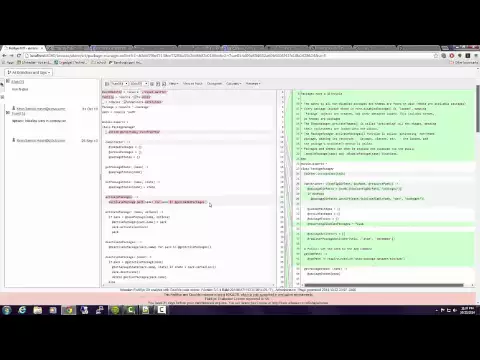
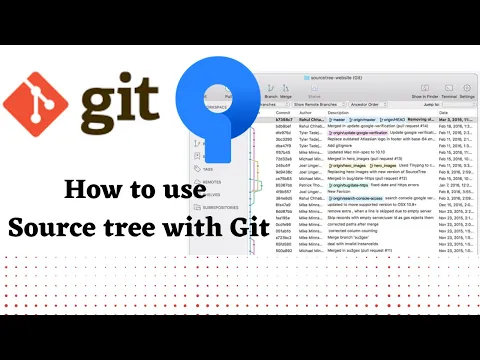
Are you looking for a simple tool to view and manage your repositories? We can help you implement Sourcetree.
Sourcetree is a powerful client for Mac and Windows for distributed version control systems (DVCS) Git and Mercurial developed by Atlassian.
Why choose Sourcetree?
- Ideal for beginners – Say goodbye to the command line and simplify distributed version control with the Git client.
- Powerful tool for advanced users – Great for enhancing the productivity of advanced users. Browse change sets, stash, and switch between branches, and more.
- Visualize your code – Get insights for any branch or commit with just one click.
Are you finding it increasingly difficult to cope with the growing complexity of software development? Is it sometimes hard for you to understand friction points within the developer environment that slow down software delivery and introduce risks?
We can help you implement Compass, a tool that creates a better environment for developers and enables you to:
- Gain a centralized overview of all software components within your organization.
- Track distributed parts of the software and the teams that create them.
- Connect repositories, libraries, and APIs.
- Evaluate software health, monitor code quality, test coverage, and vulnerabilities.
- Navigate and manage software architecture, monitoring components and dependencies.
- With a centralized overview, you can quickly identify and resolve issues.
- It allows for better collaboration among teams through information sharing and transparency.
- It easily integrates with other Atlassian tools like Jira and Bitbucket, as well as third-party tools.

Are you thinking about how to effectively train new employees? Or how to provide a clear manual for your product? When you find a bug in the software, do you have to call the developer to show and replicate it? Record a video using Loom!
With Loom, you can record your screen with just a few clicks and share the video instantly via a URL. Loom is valuable for all companies and teams, from support and marketing to sales, HR, and IT.
How does Loom simplify your daily work?
- With an intuitive interface, you can easily record your screen on your computer or mobile device.
- Loom includes AI that suggests a video title and description, prepares transcripts, and edits the video for you. Are you recording a tutorial or a bug report? The AI will prepare written instructions or even create an issue in Jira for you.
- Engage your audience and gather feedback using comments and emojis.
- Easily create tutorial videos, training sessions, demos, bug reports, and share them with the necessary recipients.
- Thanks to integration with Jira and Confluence, you can upload your video directly within the tools you use every day for your work.

Do you have documentation scattered across multiple tools, making it time-consuming to find important information? Are you working in different teams on various projects and losing track of who is responsible for what? Do you want to leverage AI that truly helps you manage your tasks? Then Rovo is here for you.
How can Rovo help you work more efficiently?
- Rovo Search will find answers to your questions based on data not only from your Atlassian tools but also from popular SaaS applications and your own data sources, such as Google Drive, Microsoft SharePoint, Figma, Slack, GitHub, Microsoft Teams, and more.
- Rovo Chat serves as your personal AI assistant, searching for information, suggesting solutions to problems, and helping you complete tasks.
- Rovo respects all permissions set within your organization.
- Rovo Agent will handle manual tasks that would take you hours in just seconds, such as analyzing and grouping Jira issues by topics, speeding up backlog management by grouping issues into Epics, creating new issues from Confluence, translating all content into different languages, generating release notes based on Jira issues, and writing engaging content that aligns with your organization's communication style.

Reliable Data Protection in Atlassian Cloud.
Atlassian Guard enables centralized user management, including enforcing security policies, to keep your data safe in Atlassian Cloud. Choose between the Standard and Premium plans.
Key security features available with the Atlassian Guard Standard plan include:
- Integration of your Atlassian tools with identity providers for single sign-on (SSO) using SAML, such as Microsoft Azure Active Directory, Okta, OneLogin, and others.
- SSO (Single Sign-On) for users from your organization and for your customers using the Jira Service Management customer portal.
- Centralized user management with user provisioning.
- Two-factor authentication.
With the Premium plan, you'll get an additional level of protection, allowing you to:
- Establish multiple levels of data security to prevent data leaks.
- Detect suspicious user activities such as logins from suspicious IP addresses, above-average page exports, etc.
- View a unified overview of user actions, triggered alerts, and their complete activity history. Based on this, the tool will also recommend corrective actions you can take, including one-click access removal.

Are you looking for a tool that allows you to manage your projects efficiently? To plan work from large milestones down to individual tasks? Atlassian Jira is here for all teams—from marketing and sales to development teams.
We offer you the implementation of the Atlassian Jira system, which primarily enables you to:
- Manage your projects and tasks under one roof.
- Define business, IT, and support processes using workflows.
- Transparently allocate necessary work to the right assignees and track its progress.
- Utilize agile tools (Scrum boards, Kanban boards).
- Keep information in one place without the need to send emails to colleagues or call meetings.
- Evaluate project status and understand risks based on your real data.
- Leverage automation and Atlassian AI so you can focus on the tasks that truly matter.
- Effectively connect Jira with Atlassian Confluence—information from issues published to Confluence according to your desired rules, Confluence content enriched with "live" data from Jira.
- In close collaboration with Bitbucket, gain a robust solution for automating the change management process in code (e.g., issues linked to Bitbucket branches).
Every growing company has defined ideas and plans that extend beyond a single project or program. With Atlassian Jira, we at Unicorn will offer you support for the highest management processes, and we can propose several solutions and output options. This includes the possibility of creating a strategy (vision), sharing it with the team, and potentially allowing selected employees to participate in its modification.

Jira Product Discovery helps business teams collect ideas, plan, and prioritize product initiatives and features.
With Jira Product Discovery, you can:
- Turn chaos into order through systematic gathering, organizing, and prioritizing of ideas.
- Record ideas, including goals and impact assessments.
- Bridge the gap between business and technical teams by linking product ideas to development work in Jira, as Jira Product Discovery is part of Jira.
- Visually prioritize initiatives according to selected metrics and create a product roadmap.

Do you need a simple solution to gather feedback from your product users? Collect requests from your clients? Simplify the work for your helpdesk? Or would you like to apply ITIL best practices to your service processes with minimal effort?
With Jira Service Management, our solutions enable you to:
- Easily connect user feedback with your support team on the other side.
- Accelerate the resolution of service requests by linking development, operational, and support teams.
- Create client portals for easier communication with customers.
- Provide IT services and support without the complexity of traditional ITSM solutions.
- Build a database of your assets, a CMDB, to make informed decisions based on real data, automating ITSM, HR, and inventory processes.
- Use Atlassian AI and virtual agents to shield your helpdesk from repetitive tasks, allowing them to focus on high-value tasks.
- Expand the capabilities of other Atlassian products (Jira, Confluence).
Jira Service Management is a flexible, collaborative ITSM solution built for rapid service delivery.
Are you struggling with a disparate approach to alerting and reporting within your IT services? Are you experiencing issues with staff in the necessary locations not being notified when a critical event occurs within the service you provide?
With Atlassian's Opsgenie tool, you won't miss any more incidents.
What do you get with Opsgenie?
- Alerts at the right time - Opsgenie receives alerts from connected ticketing tools or monitoring systems and categorizes them based on importance and timing. Thanks to the "on-call schedules" feature, the team will be notified on time through various channels (voice call, e-mail, SMS and more).
- Flexibility to any workflow - Customize on-call schedules and alerts will be handled according to their source and the solution team's payload.
- Dynamic reporting and analytics - With this feature, you have the ability to look into the data collected on the activities performed based on the alerts sent.
- Ensuring source code linking and deployment - With Opsgenie, you can ensure the linking of an incident that occurs all the way to the source code by connecting with source code management systems such as GitLab, Atlassian Bitbucket and also deploying them as part of a build management plan (e.g. using Bamboo).
Connect Opsgenie with other tools you use every day (Slack, MS Teams, ITSM).

Do you need to automate your deployment process to better focus on writing of your program code? Would you like to test your new code automatically?
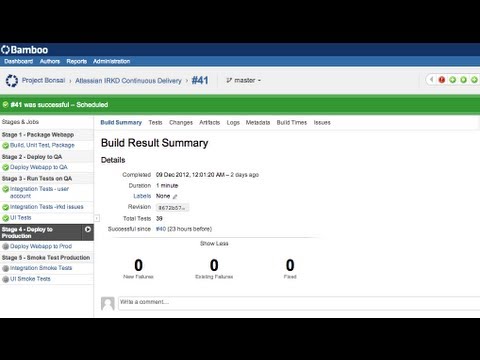
Our services can deploy and set up Atlassian Bamboo, a system which will let you:
- Prepare automatic assembly of your application from your source codes
- Create automated testing and generate associated statistics
- Easily deploy your tested applications automatically
- Readily set up permissions for each deployment step
- Bamboo is a typical part of important software development pipelines
- Thanks to its links to other Atlassian applications, you can use a comprehensive solution for your development team (Bitbucket = source codes, Jira = knowledge base and request management, Confluence = documentation)
Atlassian Bamboo can be a valuable assistant, especially for teams which must deal with continuous integration. Thanks to this product, you no longer have to waste your time on routine activities during deployment of your application.
Do you manage your source codes with Git? Are you looking for a better, simpler solution? Is it too complicated when you wish to find out whether your developers save their work regularly? Do you have to handle the complexity of user account management often? Would you like to have something more than just Git?
We can help you implement and set up Atlassian Bitbucket, which you can use to easily:
- Build projects (repositories) to version all your code
- Take advantage of automated testing
- Set up permissions for individual branches
- Integrate Bitbucket with other applications from the Atlassian ecosystem and get a powerful solution closely cooperating with Bitbucket to automate the change management process for software code (e.g. issues linked to Bitbucket branch)
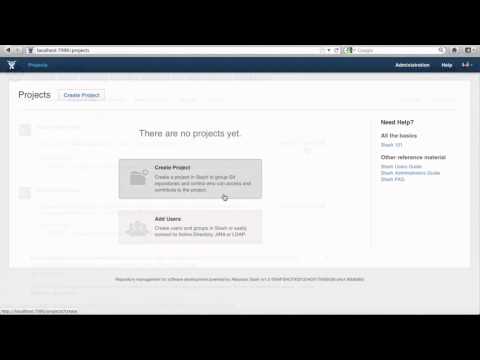
Do you need to create and manage documentation for your products? Are you looking for a simple way to take meeting notes and share them with your team? Do you often handle project know-how modifications among multiple team members simultaneously? Don't want to waste time searching for the latest version of documents?
We offer assistance in implementing Atlassian Confluence, which will enable you to:
- Create project documentation and keep a history of changes.
- Access all necessary documents from anywhere.
- Set permissions for who can access specific documentation.
- Utilize whiteboards for brainstorming, agile ceremonies, or process creation.
- Get answers to all your questions using Atlassian AI based on the data in your Confluence, considering your permissions.
- Edit documents collaboratively among multiple team members at the same time.
- Create a Confluence intranet.
- Link documentation directly with other Atlassian products, such as Jira issues, to enhance your knowledge base capabilities.
Atlassian Confluence is designed to help you keep product documentation in shape and organized.
In cooperation with some of the other Atlassian products, it allows your team to efficiently use and share information, whether it’s about developers' workflows or important messages to your helpdesk.

A fun and visual project management tool that enables personal work and teamwork. Collaboration couldn't be easier.
Why use Trello?
- Overview - Take advantage of dozens of templates, create fun boards, and share assignments with colleagues. That way everyone knows the details of projects and the status of all tasks.
- Seamless collaboration - Infinitely flexible setup means Trello works the way you do. Get rid of emails and communicate where the work gets done. Never miss a deadline with easy-to-set deadlines and calendar views.
- Always in sync - Trello is the tool that keeps you connected to all the teams in your company. With real-time updates, everyone is on the same page. Available in the browser and on mobile devices (even when you're offline!).
Connect team members and provide them with important information so they can work towards a common goal.
Atlas offers a basic overview of your work, what you’re doing, and why. You can create a simple homepage for your projects and their objectives, add team members and their roles. This ensures that everyone is informed about the project, its goals, and relevant topics, fostering the connection of workspaces and roles within the team.
Why use Atlas?
- Set a goal, add your team, Jira projects, Epics, knowledge, and risks.
- Share news and updates on progress to keep everyone in the loop.
- Send Monday status updates on Slack or MS Teams.
- The basic version of the tool is free for everyone using the Atlassian platform!
Bring all teams and tools together on one foundation.
Teamwork Collection unifies planning, collaboration and project delivery in one environment. Gain a single view of work across teams, connect your communication and development tools, and keep all information and statuses up to date at all times. Everything in one place — within the Atlassian System of Work.
Why use the Teamwork Collection?
- Create a unified working environment for all teams and projects.
- Connect Jira, Confluence, Rovo and Loom into one tool.
- Share plans, updates and outputs in real time.
- Support effective collaboration with automation and artificial intelligence.
- Unlock the full potential of the Atlassian System of Work and get an overview across the entire organisation.
